
INSIGHTS
Touch Foil, Touch Overlay or Touch Display: Which PCAP Solution Do You Need?
DISPLAX Team | December 03, 2026 | 5min
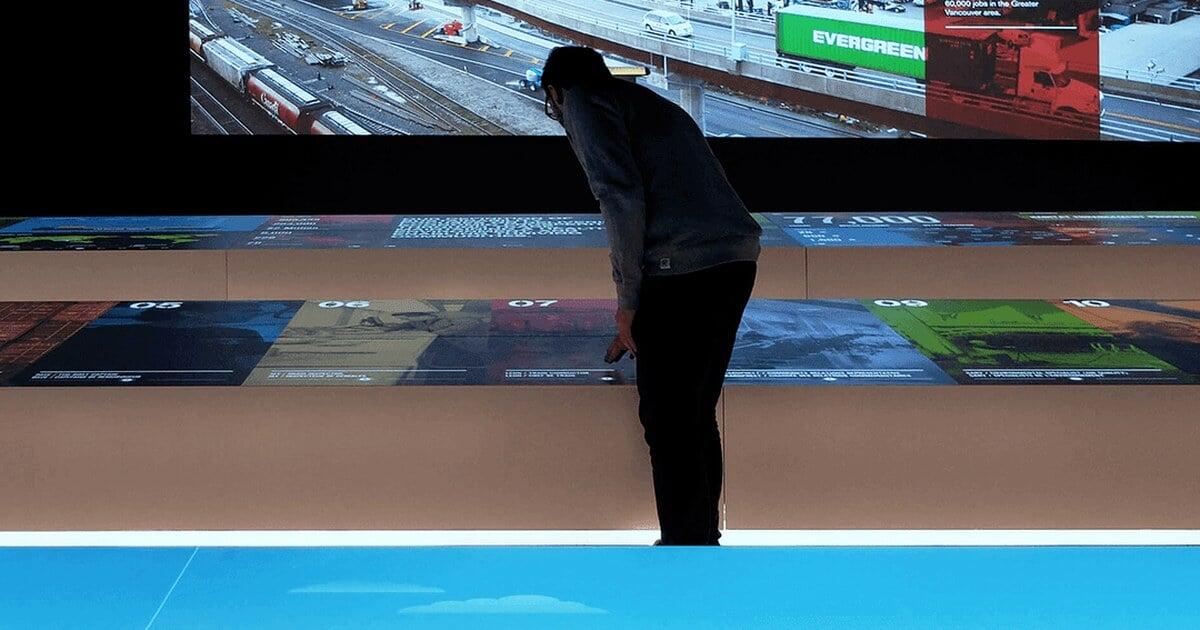
There are three ways to add projected capacitive (PCAP) touch to a screen: a touch foil integrated behind glass, a touch module or overlay added to a display, or a complete touch display. Each one suits a different project. This guide compares them, so you can choose the right one before you start.
There are three ways to add projected capacitive (PCAP) touch to a screen: a touch foil integrated behind glass, a touch module or overlay added to a display, or a complete touch display. Each one suits a different project. This guide compares them, so you can choose the right one before you start.
The 3 ways to add PCAP touch?
The 3 ways to add PCAP touch?
1. Touch foil (also called touch film or touch skin)A touch foil is a thin, flexible PCAP sensor, only 100 microns thick, that is laminated behind a glass surface. The integrator builds it into the final product: a kiosk, a touch table, a vending machine or an interactive wall. Touch foils offer the most freedom: custom sizes, very thick glass, round and custom shapes, and outdoor use.
DISPLAX touch foils are the SKIN range:- SKIN ZEETO: 7" to 75", up to 10 touches, glass up to 20 mm, for harsh and demanding environments
- SKIN FIT: 32" to 135", up to 40 touches, glass up to 15 mm, for kiosks, signage and outdoor use
- SKIN ULTRA: 30" to 135", up to 100 touches, glass up to 10 mm, for premium large-format and multi-user experiences
- SKIN ROUND and SKIN SHAPES: round and custom-shaped touchscreens
For a ready-made glass module, the foil can be supplied pre-laminated with SKIN GLASS.
2. Touch module or touch overlayA touch module is a plug & play PCAP sensor with its glass, ready to add to a display. There are two kinds:- Integrated module: DISPLAX MESH is built into a display or kiosk during assembly. Standard sizes from 22" to 86", 10 touches, glass up to 5 mm. Read Metal Mesh Touch Panels: How They Work and When to Use Them.
- Overlay for existing displays: DISPLAX OVERLAY is a frame that fits over a signage display you already have (LG, NEC, Panasonic, Samsung, Sony, Philips), from 32" to 86". Read Touch Screen Overlay for LCD: How to Choose the Right One.
3. Touch display (all-in-one)A touch display is a finished product: display and touch together, ready to hang or install. Nothing to integrate.
- SKIN ZEETO: 7" to 75", up to 10 touches, glass up to 20 mm, for harsh and demanding environments
- SKIN FIT: 32" to 135", up to 40 touches, glass up to 15 mm, for kiosks, signage and outdoor use
- SKIN ULTRA: 30" to 135", up to 100 touches, glass up to 10 mm, for premium large-format and multi-user experiences
- SKIN ROUND and SKIN SHAPES: round and custom-shaped touchscreens
- Integrated module: DISPLAX MESH is built into a display or kiosk during assembly. Standard sizes from 22" to 86", 10 touches, glass up to 5 mm. Read Metal Mesh Touch Panels: How They Work and When to Use Them.
- Overlay for existing displays: DISPLAX OVERLAY is a frame that fits over a signage display you already have (LG, NEC, Panasonic, Samsung, Sony, Philips), from 32" to 86". Read Touch Screen Overlay for LCD: How to Choose the Right One.
Side-by-side comparison
Side-by-side comparison
| Touch foil (SKIN) | Touch module / overlay (MESH, OVERLAY) | Touch display (TILE, TILE Pro) | |
| What it is | Flexible sensor laminated behind glass | Sensor + glass, ready to add to a display | Display with touch built in |
| Sizes | 7" to 135", custom | 22" to 86", standard sizes | 55" panels, combined into walls |
| Glass | Up to 20 mm | Up to 5 mm | Built in |
| Shapes | Rectangular, round, custom | Rectangular | Rectangular |
| Outdoor use | Yes (SKIN ZEETO, SKIN FIT) | Indoor | Indoor |
| Who installs it | Integrator or manufacturer | Integrator or installer | Installer |
| Best for | Custom products, thick glass, outdoor, very large or shaped screens | Kiosks and volume products, upgrading existing displays | Touch video walls and collaboration spaces |
How to choose: 5 questions
How to choose: 5 questions
1. Do you already have the displays? Yes → OVERLAY. No → keep reading.
2. Is it a custom product (kiosk, table, machine) or a standard screen?Custom → touch foil. Standard screen built in volume → MESH. Ready-to-use wall → TILE or TILE Pro
3. How thick is the glass?Above 5 mm → touch foil: SKIN ZEETO up to 20 mm, SKIN FIT up to 15 mm.
4. Is it outdoors or in a harsh environment?→ SKIN ZEETO or SKIN FIT.
5. How big, and how many users?Above 86" → SKIN FIT or SKIN ULTRA (up to 135"). Many users at once → SKIN ULTRA (up to 100 touches) or TILE.
Not sure which solution fits your project?
Not sure which solution fits your project?
Get in touch with the DISPLAX team with your size, glass and where it will be used.
Get in touch with the DISPLAX team with your size, glass and where it will be used.
FAQs
FAQs
NEWS & INSIGHTS
Keep reading
INSIGHTS
INSIGHTS
Touch Screen Overlay for LCD: How to Choose the Right One
DISPLAX Team
November 19, 2026 | 6 min
INSIGHTS
Metal Mesh Touch Panels: How They Work and When to Use Them
Metal Mesh Touch Panels: How They Work and When to Use Them
DISPLAX Team
November 26, 2026 | 5 min
INSIGHTS
INSIGHTS
Glove-Compatible PCAP Touchscreens: How to Choose the Right One
Glove-Compatible PCAP Touchscreens: How to Choose the Right One
DISPLAX Team
November 13, 2026 | 5 min
NEWS & INSIGHTS
Keep reading
INSIGHTS
INSIGHTS
Touch Screen Overlay for LCD: How to Choose the Right One
Touch Screen Overlay for LCD: How to Choose the Right One
DISPLAX Team
November 19, 2026 | 6 min
INSIGHTS
Metal Mesh Touch Panels: How They Work and When to Use Them
Metal Mesh Touch Panels: How They Work and When to Use Them
DISPLAX Team
November 26, 2026 | 5 min
NEWS
Glove-Compatible PCAP Touchscreens: How to Choose the Right One
Glove-Compatible PCAP Touchscreens: How to Choose the Right One
DISPLAX Team
November 13, 2026 | 5 min

Get in Touch
Questions about pricing? Got an active project you’d like to discuss? Let’s connect.
Get in Touch
Questions about pricing? Got an active project you’d like to discuss? Let’s connect.